Creating children’s books with artificial intelligence has become easier than ever. However, transforming those stories into engaging, professionally presented videos is still challenging for many creators.
You need compelling storytelling, consistent illustrations, natural-sounding narration, and video editing skills.
What if you could manage most of that process through one guided platform?
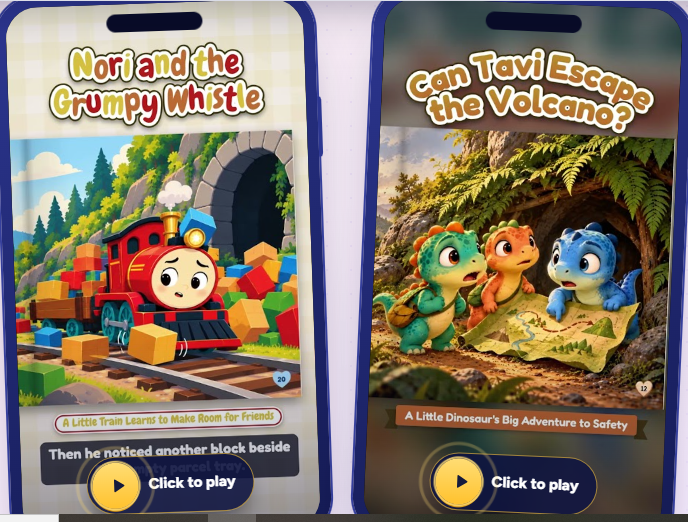
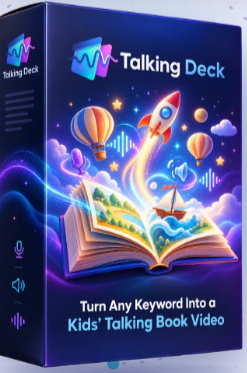
That’s the promise behind Talking Deck, a creative software application designed to transform simple keywords into illustrated children’s stories, narrated videos, and printable storybooks.
But does Talking Deck actually deliver on its promises?
In this detailed Talking Deck Review 2026, we’ll examine its features, how it works, its advantages and limitations, and whether it’s a worthwhile investment for content creators, educators, and digital publishers.
We’ll also explore an important question: Can Talking Deck help you build a children’s storytelling business?
Let’s find out.
What Is Talking Deck?
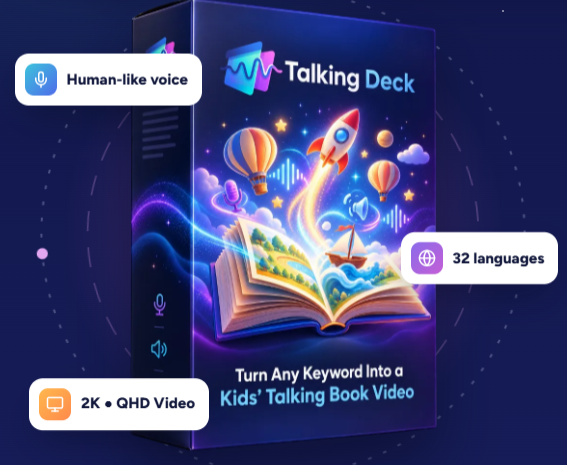
Talking Deck is an AI-assisted children’s storytelling and video creation platform developed by Maulana Malik.
The software provides a structured workflow for transforming basic ideas into illustrated children’s books and narrated story videos.
Rather than manually organizing every stage of production, users can follow a guided process covering story development, illustration preparation, narration, and video creation.
According to its official product information, Talking Deck offers:
- 13 different story types.
- 8 character categories.
- 18 visual illustration styles.
- Support for 32 languages.
- Expressive AI-generated voiceovers.
- Landscape videos in up to 2K QHD resolution.
- Vertical videos for social media.
- Printable PDF storybooks.
- Built-in video rendering without separate per-render fees.
One important distinction is that Talking Deck works alongside ChatGPT.
It does not independently generate the story illustrations. Instead, it helps prepare the creative instructions and prompts used with ChatGPT.
Once the images are prepared, Talking Deck helps organize the story and transform it into a narrated video or printable book.
This makes it more accurately described as an AI-assisted storytelling production platform rather than a completely independent AI book generator.
Talking Deck at a Glance
| Feature | Details |
|---|---|
| Product | Talking Deck |
| Creator | Maulana Malik |
| Category | AI-Assisted Storybook and Video Creation |
| Main Purpose | Children’s stories, videos, and printable books |
| Supported Languages | 32 |
| Visual Styles | 18 |
| Story Types | 13 |
| Character Categories | 8 |
| Video Resolution | Up to 2K QHD |
| Video Formats | 16:9 and 9:16 |
| PDF Export | Available |
| External Tool | ChatGPT required |
| Per-Render Fees | None advertised |
| Guarantee | 30-day product performance guarantee |
Get Instant Access to Talking Deck
How Does Talking Deck Work?
One of Talking Deck’s main selling points is its guided workflow.
The platform is designed to reduce the complexity of creating illustrated stories and narrated videos.
Here’s how the process works.
Step 1: Enter Your Story Keyword
Everything begins with a simple idea.
For example, you might enter:
“The Brave Little Turtle”
Talking Deck helps develop that idea into a children’s storytelling project.
You can select a specific story category, choose characters, and determine the creative direction.
This approach can be particularly useful for creators who struggle with developing original story concepts.
Step 2: Choose Your Story Type
Talking Deck provides 13 story types, including bedtime stories, classic fables, funny stories, and children’s mysteries.
These options help creators produce different storytelling experiences from similar topics.
For example, the keyword “friendship” could inspire a bedtime story about woodland animals or an adventure involving friendly robots.
The final result depends on the selected story structure and characters.
Step 3: Select an Illustration Style
Visual consistency is one of the biggest challenges when producing AI-generated children’s books.
Talking Deck addresses this by providing 18 artistic styles that guide the illustration process.
These include watercolor, cartoon, 3D animation-inspired artwork, and other creative approaches.
However, the actual illustrations must be generated using ChatGPT.
This means image quality and consistency may depend on your prompts, available ChatGPT features, and the amount of refinement required.
Step 4: Create the Story and Illustrations
Talking Deck guides users through developing the story and preparing the images for each page.
The workflow is intended to keep the storytelling process organized.
Instead of treating each illustration as a completely separate project, creators can follow a consistent creative direction.
This can make managing larger story projects easier.
Step 5: Add Expressive Narration
Once the story and visuals are ready, users can create voiceovers.
Talking Deck supports different vocal expressions, including excitement, laughter, whispering, and softer narration.
These features are particularly relevant for children’s storytelling, where emotional delivery can help make a story more engaging.
Step 6: Export Your Finished Content
Finally, creators can prepare their content in different formats.
These include landscape videos, vertical social media videos, and printable PDF storybooks.
A single story concept can therefore support multiple types of content.
This is one of the most interesting aspects of the software.
Talking Deck Features: What Makes It Different?
Let’s examine the features that matter most when deciding whether Talking Deck is worth buying.
1. Multiple Storytelling Possibilities
Talking Deck combines 13 story types with eight character categories.
That creates 104 basic story-type and character combinations before considering different keywords, visual styles, or custom instructions.
This flexibility may be valuable for publishers creating themed story collections.
For example, an educational creator could develop stories about kindness, honesty, sharing, environmental awareness, and everyday learning.
However, having many combinations does not automatically guarantee originality.
Creators should still review and improve the generated stories before publishing.
2. Eighteen Illustration Styles
One of the software’s strongest creative features is its selection of visual styles.
Available options include:
- 3D Animated Movie
- Bold Cartoon
- Clay Stop-Motion
- Watercolor & Pencil
- Digital Storybook Painting
- Paper Collage
- Soft Anime Storybook
- Flat Vector Cartoon
These styles give creators flexibility when developing different book collections.
For example, a gentle bedtime story may benefit from watercolor illustrations, while an adventurous dinosaur story might work better with bold cartoon visuals.
The important limitation is that Talking Deck supplies the creative workflow and prompts rather than generating the illustrations internally.
3. Expressive AI Voiceovers
Voice narration can significantly influence the experience of watching a children’s story.
A flat, robotic voice may make even an interesting story feel less engaging.
Talking Deck promotes expressive narration designed to reflect different emotions.
Its advertised capabilities include whispering, laughter, excitement, surprise, singing-style delivery, and warm narration.
These options could help creators produce more engaging read-aloud videos.
However, the quality of the final narration should be evaluated through actual samples, especially when producing content in languages other than English.
4. Support for 32 Languages
Talking Deck supports story and voiceover projects in 32 languages.
Examples include English, Spanish, French, German, Portuguese, Arabic, Hindi, Mandarin Chinese, Japanese, and Korean.
This multilingual capability could be useful for publishers targeting international audiences.
For example, a creator might develop an English children’s story and adapt it for Spanish-speaking viewers.
However, translations should be checked carefully.
Children’s educational content requires accurate vocabulary, age-appropriate language, and clear pronunciation.
5. Landscape and Vertical Video Creation
Talking Deck supports two important video formats.
Landscape videos (16:9) are suitable for YouTube, educational websites, and traditional video presentations.
The platform advertises landscape video rendering in up to 2K QHD resolution.
Vertical videos (9:16) are designed for mobile platforms such as YouTube Shorts, Instagram Reels, and TikTok.
Users can also divide longer stories into shorter segments of approximately one minute.
This creates an opportunity to repurpose one story into several pieces of content.
For example, a five-minute story could potentially become one longer YouTube video and a series of shorter clips.
The platform also offers different camera presentation styles for vertical videos.
6. Printable PDF Storybooks
Talking Deck isn’t limited to video creation.
It also includes a PDF book combiner that organizes illustrated pages into a printable storybook.
This feature may interest creators selling digital products or preparing educational materials.
Potential applications include downloadable storybooks, classroom reading materials, and printable children’s activities.
However, users planning to sell books commercially should verify the relevant licensing terms and publishing requirements.
7. No Separate Per-Render Fees
The official sales page states that users can render videos inside Talking Deck without paying an additional fee for every render.
This could be attractive for creators producing multiple videos.
However, this does not necessarily mean the entire workflow has unlimited usage or zero additional costs.
Because ChatGPT is required for story and illustration generation, its account requirements and usage limits remain relevant.
Prospective buyers should verify the current package limits before purchasing.
Explore Talking Deck Features
Talking Deck Pros and Cons
No software is perfect, and Talking Deck has both appealing features and important limitations.
Pros
Beginner-friendly workflow
The guided process can make storybook production easier to organize.
Multiple content formats
Users can create videos and printable books from the same storytelling project.
Multilingual capabilities
Support for 32 languages opens opportunities for international content creation.
Creative flexibility
Multiple story types, character categories, and visual styles provide room for experimentation.
Social media compatibility
Landscape and vertical video formats support different publishing channels.
Expressive narration
Emotion-focused voiceovers may make children’s stories more engaging.
No advertised per-render charges
The platform states that video rendering does not require separate payments for each render.
Cons
ChatGPT is required
Talking Deck does not independently generate the story illustrations.
Not a completely automated publishing business
Users still need to review content, create illustrations, manage publishing, and market their products.
AI output requires quality control
Stories, illustrations, translations, and narration should be checked before publication.
Commercial success is not guaranteed
Creating books or videos does not automatically produce sales or advertising revenue.
External platform requirements
Amazon KDP, YouTube, and other publishing platforms have their own content policies.
Limited independent performance evidence
The official demonstrations show what the software is designed to produce, but they do not establish typical customer results.
Can You Make Money With Talking Deck?
This is probably one of the biggest questions potential buyers have.
Talking Deck could support several digital content business models.
However, it is important to distinguish between creating content and generating income.
The software provides production tools. It does not guarantee customers, traffic, sales, or monetization approval.
Opportunity 1: Children’s Books on Amazon KDP
Creators may use the workflow to develop illustrated children’s book concepts.
These could potentially be adapted for Amazon Kindle Direct Publishing.
However, books must satisfy Amazon’s current publishing requirements, including applicable AI-content disclosure rules.
Successful publishing also requires market research, quality control, appropriate formatting, and effective promotion.
Opportunity 2: Children’s Storytelling Channels
Another potential application is creating narrated children’s stories for YouTube.
Talking Deck’s landscape video support makes it relevant to this type of content.
Creators could develop themed series about bedtime stories, educational adventures, or positive life lessons.
However, YouTube monetization depends on eligibility requirements, content quality, originality, and platform policies.
Content made for children may also have different advertising and engagement restrictions.
Opportunity 3: Printable Digital Products
The PDF export feature may be useful for creating printable children’s books.
Depending on licensing rights and marketplace requirements, creators could explore selling suitable digital products through their own websites or online marketplaces.
The ability to offer a printable book alongside a narrated video could provide additional value.
Opportunity 4: Educational Content Creation
Teachers, tutors, and educational content creators may find the software useful for developing customized storytelling materials.
For example, a teacher could prepare a short illustrated story explaining friendship, sharing, or healthy habits.
The same story could then be presented as a printable resource or narrated video.
Opportunity 5: Multilingual Storytelling Content
Support for 32 languages creates opportunities to adapt stories for different audiences.
A creator might develop a story in English and prepare localized versions in other supported languages.
However, localization requires more than translation.
Cultural relevance, pronunciation, and age-appropriate vocabulary remain important.
The bottom line: Talking Deck can help with content production, but profitability depends on content quality, audience demand, distribution, and business execution.
Talking Deck Pricing: How Much Does It Cost?
Talking Deck is promoted as a paid software product with instant access.
The official sales page highlights its creative features and states that there are no separate per-render fees.
However, a reliable current purchase price was not clearly displayed in the publicly accessible product information reviewed for this article.
For that reason, we recommend checking the live checkout page for the exact price, package inclusions, and any additional offers.
Before purchasing, confirm whether your package includes all advertised features and whether any usage restrictions apply.
Also remember that ChatGPT is required for the story and illustration workflow.
Its availability and usage limits are separate from Talking Deck.
Is There a Money-Back Guarantee?
Talking Deck advertises a 30-day product performance guarantee.
However, this should not be confused with an unconditional refund policy.
According to the official terms, customers experiencing technical problems or features that do not work as described can contact support.
If the issue cannot be resolved, a refund may be available.
Refunds are not offered simply because a customer changes their mind.
Buyers should read the complete terms before purchasing.
Check Talking Deck Pricing & Offers
Talking Deck vs Traditional AI Storybook Creation
Is Talking Deck actually necessary when tools such as ChatGPT already exist?
The answer depends on your workflow.
| Feature | Talking Deck Workflow | Using ChatGPT Alone |
|---|---|---|
| Story Development | Guided workflow with ChatGPT | Available |
| AI Illustration Creation | Uses ChatGPT | Available |
| Story Types | 13 predefined options | Custom prompts |
| Visual Style Guidance | 18 predefined styles | Custom prompts |
| Expressive Narration | Integrated workflow | May require additional tools |
| Video Rendering | Built into Talking Deck | Requires a separate workflow |
| Printable PDF Assembly | Included | Requires preparation or other tools |
| Vertical Video Options | Included | Requires additional processing |
| Learning Curve | Structured process | Depends on experience |
The main advantage of Talking Deck is convenience.
It brings multiple stages of the production process into one organized workflow.
However, experienced creators who already have reliable tools for narration, video editing, and book formatting may not need another application.
Talking Deck is potentially most useful for people who value a guided process over building their own workflow from scratch.
Who Should Buy Talking Deck?
Talking Deck may be worth considering for several types of users.
Children’s Content Creators
If you regularly produce illustrated stories or narrated children’s videos, the guided workflow could save organizational effort.
Beginner Digital Publishers
New publishers who struggle with coordinating writing, illustration, and formatting may appreciate having a structured process.
Teachers and Educators
The ability to prepare narrated stories and printable materials could support educational activities.
YouTube Storytelling Creators
The landscape and vertical video formats may be useful for creators developing children’s storytelling channels.
Multilingual Content Publishers
Creators interested in adapting stories for different languages may benefit from the platform’s multilingual features.
Who Should Avoid Talking Deck?
Talking Deck may not be the right choice if you expect a completely hands-free publishing business.
It also may not suit creators who want an independent AI image generator that works without ChatGPT.
If you already have an efficient workflow for writing, illustration, narration, and video editing, the additional software may offer limited value.
Finally, anyone expecting guaranteed earnings should reconsider.
Talking Deck is a content creation tool, not an automatic income system.
Is Talking Deck Legit or a Scam?
Based on the official product information, Talking Deck presents a defined workflow, detailed feature descriptions, product demonstrations, and support information.
The platform also explains its dependence on ChatGPT rather than claiming to generate every element independently.
These are useful transparency signals.
However, they do not independently prove long-term reliability or customer satisfaction.
We have not conducted a hands-on software test or verified independent customer outcomes.
Therefore, it would be inaccurate to claim that every feature has been personally tested.
Prospective customers should examine the demonstrations, review the refund conditions, and confirm package details before purchasing.
Talking Deck Review: Frequently Asked Questions
What is Talking Deck?
Talking Deck is an AI-assisted creative application that helps users develop children’s stories and turn them into narrated videos and printable PDF storybooks.
Does Talking Deck create children’s books automatically?
It provides a guided creation workflow, but users still need ChatGPT to generate stories and illustrations.
Does Talking Deck require ChatGPT?
Yes. According to the official FAQ, ChatGPT is required for story and illustration creation.
How many languages does Talking Deck support?
Talking Deck advertises support for 32 languages.
Can Talking Deck create YouTube Shorts?
Yes. It supports vertical 9:16 videos and allows longer stories to be divided into shorter segments.
Can Talking Deck create printable books?
Yes. The platform includes a PDF book combiner for assembling printable storybooks.
Does Talking Deck charge for every video render?
The official product page states that there are no separate per-render fees.
Is Talking Deck suitable for beginners?
Its guided workflow is designed to accommodate beginners, although users still need to follow the instructions and work with ChatGPT.
Can I sell books created using Talking Deck?
Commercial publishing may be possible, but users should verify the applicable licensing terms and comply with the rules of their chosen publishing platform.
Does Talking Deck guarantee income?
No. Earnings depend on audience demand, content quality, marketing, and other business factors.
Is Talking Deck worth buying in 2026?
It may be worthwhile for creators who want an organized workflow for producing narrated children’s stories and printable books.
However, its value depends on the purchase price, individual needs, and the tools a creator already uses.
Final Verdict: Is Talking Deck Worth It in 2026?
Talking Deck offers an interesting approach to AI-assisted children’s storytelling.
Instead of focusing exclusively on generating written stories, it helps creators develop multiple formats from one project.
Its combination of visual style guidance, expressive narration, multilingual support, PDF creation, and video rendering could be useful for content creators who regularly produce children’s material.
The support for both landscape and vertical videos is particularly relevant for publishers looking to distribute content across multiple platforms.
However, Talking Deck is not a completely independent AI content generator.
Its reliance on ChatGPT is an important consideration, especially for buyers expecting an entirely automated solution.
Creators should also remember that producing content is only one part of building a successful publishing business.
Research, editing, originality, marketing, and platform compliance remain essential.
Our Assessment
Talking Deck is worth considering if you want a structured way to transform children’s story ideas into illustrated books and narrated videos.
Its greatest potential value lies in simplifying the production workflow rather than guaranteeing better stories or higher earnings.
Before purchasing, review the official demonstrations, verify the current price, and make sure the included features match your requirements.
If those conditions are met, Talking Deck could be a useful addition to a children’s content creation workflow.
Get Talking Deck Today
Affiliate Disclosure: This article may contain affiliate links. If you purchase through these links, TechProResearch may earn a commission at no additional cost to you. Our editorial assessments are based on available product information and are not presented as personal hands-on testing.
Reviewed by TechProResearch Editorial Team.